

Supporting Continuing Education & Non-Credit
Incremental Course Changes
Quick Link: Course Change Request Form for Continuing Education and Non-Credit
Overview
Learning Experience Designers (LXDs) guide Continuing Education and non-credit course facilitators through an initial design process, then hand the course over to ISS. The ISS Manager will designate a specific team member to serve as the facilitator’s primary contact. If at some point it is determined that a course needs to undergo substantial redesign, ISS will hand the course back to the LXD team.
Roles and Responsibilities
- Facilitators are responsible for identifying and requesting course updates.
- ISS is responsible for implementing fixes and liaising with facilitators, subject matter experts, and others (as needed).
- Other Learning Design and Experiential Learning personnel may also be involved with multimedia requests.
Request Types
In general, incremental change requests are classified according to four levels:
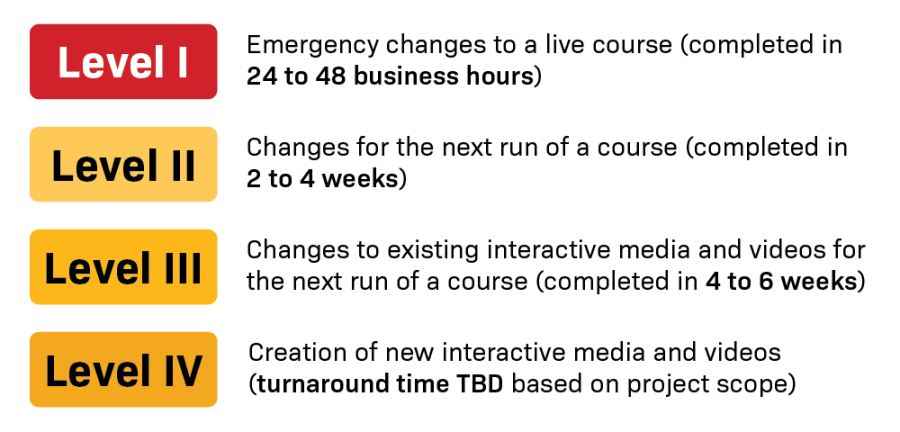
- Level I: Emergency changes to a live course (completed in 24 to 48 business hours)
- Level II: Changes for the next run of a course (completed in 2 to 4 weeks)
- Level III: Changes to existing interactive media and videos for the next run of a course (completed in 4 to 6 weeks)
- Level IV: Creation of new interactive media and videos (turnaround time TBD based on project scope)
Examples of Change Requests by Level
Level 1 changes include (but are not limited to):
- Fixing broken links
- Replacing missing files
- Making adjustments for student learning accommodations
Level 2 changes include (but are not limited to):
Readings & Resources
- Update textbook edition
- Add, update, or remove specific journal articles, websites, etc.
- Replace uploaded journal article files with Library permalinks (for accessibility reasons and library metrics)
- Add or update PowerPoint slide deck files
Start Here Module
- Update content (course policies, guidelines, assignment descriptions, etc.) based on updated course syllabus
- Add information for how to use or find support for specific course software, platforms, or textbook integrations (e.g., Respondus guide and practice quiz)
Course Content
- Revise body text for intro/wrap-up pages
- Add or update videos/playlists
- Make updates to existing LTIs
Graded Items (Assignments, Discussions, & Quizzes)
- Revise instructions/guidelines
- Add or revise grading rubrics
- Create question banks from existing quiz questions
- Add or revise questions in question banks
Course Organization and Navigation
- Make minor revisions to module content organization
- Reorganize/clean up existing course files in Canvas
Visualizations
- Create simple graphic organizers or infographics
- Revise existing graphic organizers or infographics
Level 3 changes include (but are not limited to):
- Edits to existing video(s)
- Edits to existing interactive media
Level 4 changes include (but are not limited to):
- Creation of new video(s)
- Creation of new interactive media
Depending on task complexity and current team bandwidth, it is possible certain requests will have to be postponed until the following term. In such cases, ISS will meet with faculty, the video production team, and program directors (if requested) to develop an implementation plan and timeline.
Course Change Request Form
To help us provide equitable service to all facilitators, we have developed the Course Change Request Form for Continuing Education and Non-credit. The form enables us to collect the details we need to implement a change request, and each submission automatically creates a new task in our team’s project management system, eliminating the possibility of missed emails.
Timelines for Resolving Changes
ISS observes the following deadlines for resolving changes:
- Level I requests will always be addressed within 24–48 business hours.
- Level II requests received at least 6 weeks before the next launch date will be completed before the course begins.
- Level III requests received at least 8 weeks before the next launch date will be completed before the course begins.
- Level IV requests will be completed as soon as possible, based on the project's scope and current team workloads.
Course Readiness
Overview
Canvas courses and cars have something in common: both require routine maintenance to keep running smoothly. The ISS team is here to guide facilitators through the steps of preparing existing courses for subsequent runs.
Faculty Course Readiness Checklist
Once course sections for the coming term become available in Canvas (usually by the second week of early registration), ISS will import existing template content into the new courses. Then, faculty and ISS will work together to complete the Course Readiness Checklist.
Quality Assurance Reviews
As part of the readiness process, ISS reserves the 4 weeks before the next course launch date to conduct course Quality Assurance (QA) reviews. QAs are intended to confirm that courses meet accessibility standards and follow usability best practices. ISS will address high-priority issues before the course start date and works with facilitators to create a plan for implementing additional changes.
GPE Faculty Training
Overview
Baylor Learning Design offers a variety of resources, workshops, and one-on-one consultations for faculty training and onboarding. To learn more about training resources, please contact instructionalsupport@baylor.edu.
Example Topics
Here are a few examples of topics we have developed training materials about:
- Using tech tools effectively to communicate asynchronously
- Providing effective and timely feedback on assignments
- Building web accessibility skills
Additional Professional Development Resources
Learn more about other training resources developed by Baylor Learning Design:
- DIVE: Designing Instruction for Virtual Engagement—a 6-week online program that focuses on the "how" of online teaching and learning
- DEEP DIVE: Designing Instruction for Virtual Engagement—a 6-week online program that goes beyond the "how" and explains the "why" of online teaching and learning
- DOTS: Designing for Online Teaching Success—a 6-week online program about teaching theory and practice for doctoral students
- IDEAL: Inclusive Design for Engagement and Accessibility in Learning—a 6-week online program designed to help instructors develop a strong foundation in accessible course design and its critical role in supporting all learners
- LDJIT: Learning Design Just in Time—asynchronous modules that allow faculty to engage with evidence-based best practices in learning design whenever it's most convenient for them
- OFI: Online Faculty Institute—cohort-based, 2-semester program for new Baylor faculty working remotely; collaboration between Learning Design and Baylor's Academy for Teaching and Learning